
Download BetterJoy – Nintendo Switch Controller Emulator for PC
Overview
BetterJoy is a lightweight software solution designed to bridge the gap between Nintendo Switch controllers and PC gaming environments. The app enables users to connect and utilize Nintendo Switch Pro Controllers, Joy-Cons, and the Switch SNES Controller with a variety of emulators on their desktop systems. Its primary purpose is to streamline the process of pairing these controllers with PC-based emulators, removing common connectivity hurdles and enhancing the overall gaming experience. By supporting both wired USB and wireless Bluetooth connections, BetterJoy offers flexibility for users who prefer different setup methods.
The target audience includes retro gaming enthusiasts, emulator users, and anyone seeking a seamless way to play Nintendo titles on their PC. Whether using Cemu, Dolphin, Citra, or Yuzu, BetterJoy ensures that native Switch controller functionality—such as motion controls and button mapping—is preserved. Real-world use cases include playing classic Super Smash Bros. matches, navigating The Legend of Zelda: Breath of the Wild on a PC, or enjoying indie titles originally developed for the Switch. In the broader app ecosystem, BetterJoy fills a niche for open-source, low-overhead tools that prioritize compatibility and user control.
The developer did not provide additional technical details about the project’s origins or team structure. However, the app’s open-source nature suggests community-driven development, which aligns with transparency and long-term usability goals. Its release date was September 3, 2024, marking a recent addition to the PC gaming toolkit.
Key Features & Functionality
BetterJoy delivers a focused set of features tailored to emulator users who rely on authentic Nintendo Switch controller input. The app is designed for ease of use, with a minimal setup process that requires no complex installations. Users simply unzip the downloaded file and launch the .exe, making it accessible even to those with limited technical expertise.
- Easy Setup: The app automatically detects USB-connected controllers. For Bluetooth pairing, users initiate the process by pressing the sync button on the controller and selecting it from their device list.
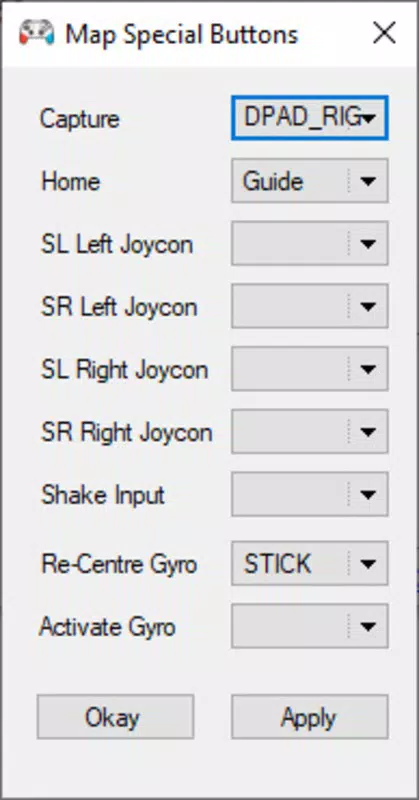
- Custom Button Mapping: Advanced users can remap buttons—including the Home and Capture buttons—to keyboard inputs, allowing for personalized control schemes that suit different gameplay styles.
- Lightweight Design: At under 5 MB, the application consumes minimal system resources, ensuring it doesn’t interfere with emulator performance or overall system responsiveness.
- Emulator Compatibility: BetterJoy supports a broad range of popular emulators, including Cemu, Dolphin, Citra, and Yuzu, enabling consistent controller performance across multiple gaming platforms.
- Open-Source & Free: As an open-source tool, BetterJoy is available at no cost, with its source code accessible for inspection and community contributions.
These features collectively benefit users who want to maintain the tactile feel of Switch controllers while gaming on PC. For example, a player using Citra to run a Nintendo 3DS game can map the Joy-Con’s motion controls to simulate gyroscopic input via keyboard or mouse, enhancing immersion.
Interface, UX & Performance
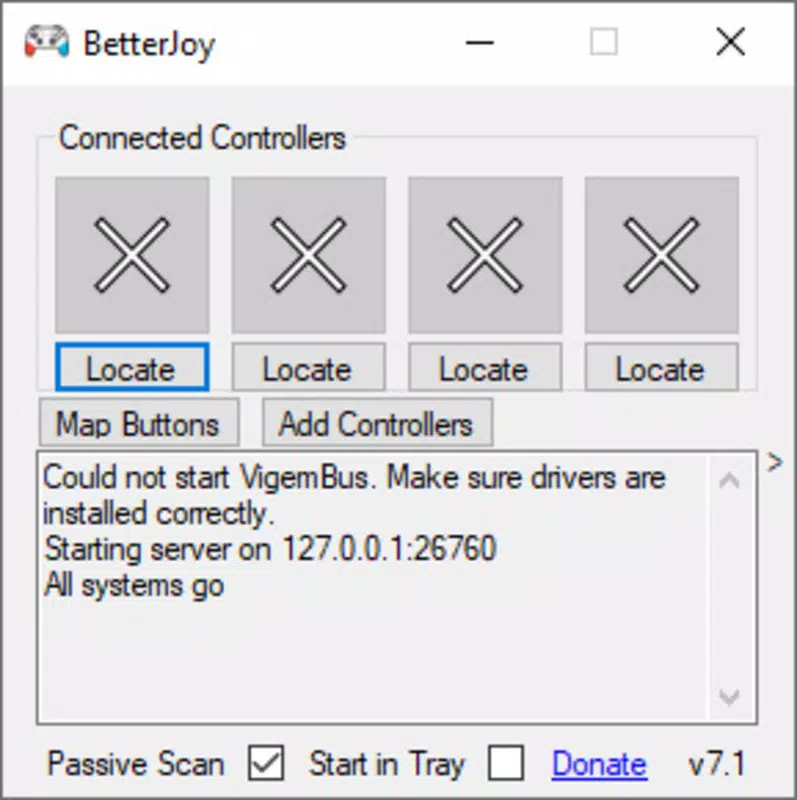
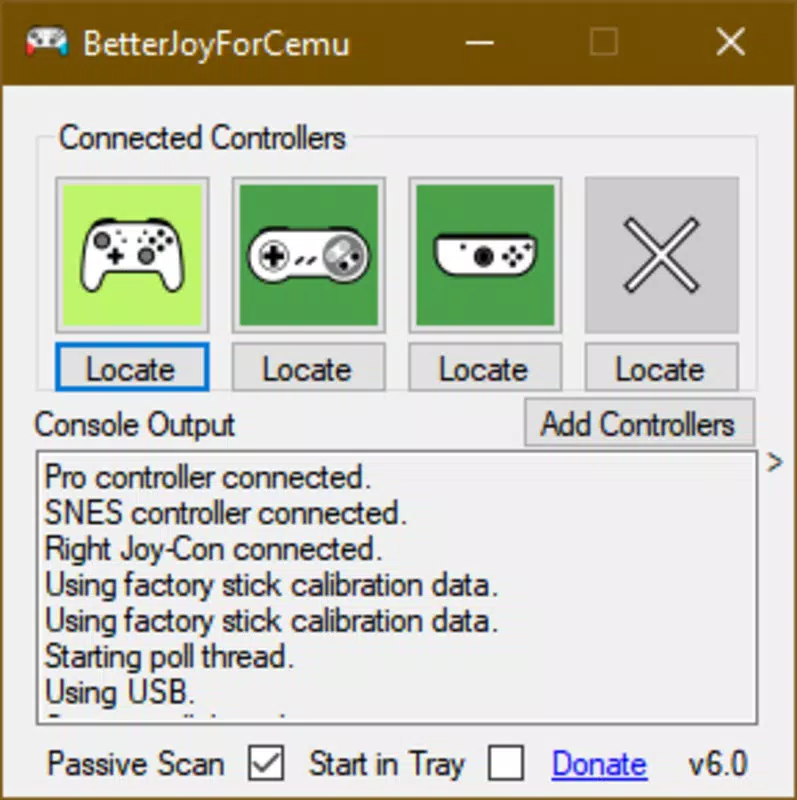
BetterJoy features a minimalistic interface that prioritizes functionality over visual flair. The application launches directly into a clean, text-based dashboard that displays connected controllers and available settings. Navigation is straightforward, relying on basic menu options and status indicators without requiring extensive user guidance.
The user experience is optimized for efficiency. There are no onboarding screens or tutorials, which suits experienced emulator users but may require some familiarity with controller pairing protocols. The app responds quickly to connection requests and maintains stable communication with controllers during extended sessions.
Although the developer did not list formal performance metrics, the lightweight nature of the software suggests low CPU and memory usage. It is designed to run in the background without causing lag or conflicts with other applications. Stability appears consistent across various hardware configurations, though specific compatibility details were not disclosed. Responsiveness is maintained during both USB and Bluetooth connections, with minimal delay in input recognition.
Platform Compatibility & Technical Requirements
BetterJoy is designed for Windows-based systems. The application is distributed as a standalone .exe file, making it compatible with modern Windows operating systems. The file size is less than 5 MB, indicating a compact footprint that requires minimal storage space.
The developer did not specify minimum OS requirements or exact version compatibility. As such, users should ensure their system meets general Windows standards for running portable applications. No additional dependencies or drivers are required for basic operation, which enhances accessibility.
Pros and Cons
Pros
- Lightweight and fast-loading application
- Supports multiple Nintendo Switch controllers
- Compatible with major PC emulators (Cemu, Dolphin, Citra, Yuzu)
- Free and open-source with transparent codebase
- Simple setup with no installation required
Cons
- Interface is minimal and lacks visual customization
- No official support for macOS or Linux
- Developer did not provide detailed system requirements
- Bluetooth pairing may require manual device selection
- Limited documentation beyond basic instructions
FAQ
Is BetterJoy safe to download and use?
Yes, BetterJoy is a free, open-source application distributed via trusted channels. As the source code is publicly available, users can verify its integrity and ensure it does not contain malicious components.
Can I use BetterJoy with any emulator?
BetterJoy is confirmed to work with Cemu, Dolphin, Citra, and Yuzu. Compatibility with other emulators may vary and is not guaranteed without testing.
Do I need to install anything to use BetterJoy?
No. The app runs as a portable executable (.exe) and does not require installation. Simply unzip the file and launch the program.
Is BetterJoy available for macOS or Linux?
As of now, the developer has only released a Windows version. There is no official support for macOS or Linux.
How do I connect my Joy-Con via Bluetooth?
Press and hold the sync button on the Joy-Con until the LED blinks, then select the device from your PC’s Bluetooth settings. BetterJoy will detect it once paired.
Final Thoughts
BetterJoy stands out as a reliable, no-frills solution for PC gamers who want to use their Nintendo Switch controllers with emulators. Its lightweight design, open-source foundation, and broad emulator support make it an essential tool for anyone invested in retro gaming on desktop platforms. While the interface is basic and documentation is sparse, the app delivers on its core promise: seamless, customizable controller integration.
It’s particularly valuable for users of Cemu, Citra, and Yuzu who seek authentic Switch controller input without the hassle of third-party drivers. The lack of installation and minimal system impact further enhance its appeal.
Download BetterJoy now


